Getting Started with Pro
Everything you need to know about unlocking features and managing your LeetChess license.
How to Purchase a License
Unlocking the full power of LeetChess is done directly within the browser extension. No external accounts are required until checkout.
- 01. Open the LeetChess Extension from your browser toolbar.
- 02. Click the Settings Icon (⚙️) located in the top-right corner.
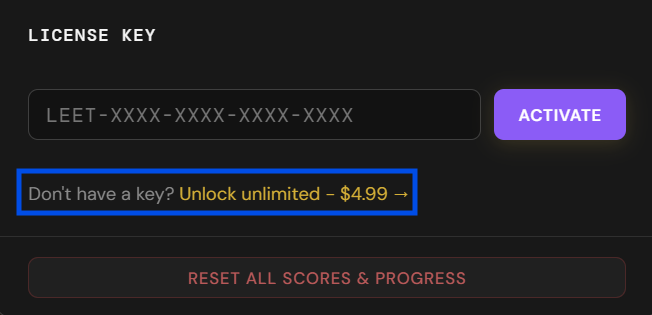
- 03. Click the "Unlock unlimited - $4.99 →" link.
- 04. Complete the secure checkout. Your key will be sent to your email instantly.
Managing Your Devices
The 3-Device Rule
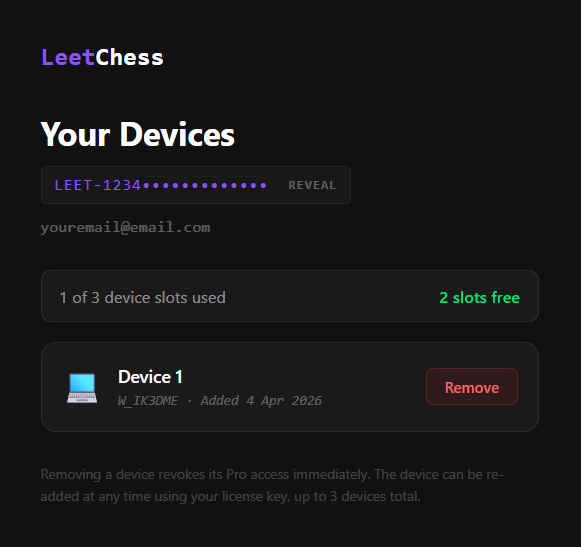
Every LeetChess Pro license is valid for up to 3 concurrent devices. This allows you to use Pro on your desktop, laptop, and work machine simultaneously.
Pro Tip: If you get a new computer, you don't need a new key. Simply remove your old device from the management dashboard to free up a slot.
How to remove a device:
- 1. Visit the Device Manager.
- 2. Enter your purchase email to receive a secure login link.
- 3. Click "Remove" on the device you no longer use.
- 4. The slot is now free for a new activation.
Frequently Asked Questions
Lost my license key?
Search your inbox for "LeetChess" or use the Device Manager email request, it will show your active key at the top of the page.
Does the key expire?
No. Licenses are lifetime for the version purchased.
Still need help?
Our team is available to help with billing issues, key recovery, or technical bugs.
support@leetchess.com